Docker Images
Docker Images
As you saw before in the previous article, Docker will bundle your project into a "Docker Image", But what exactly is a docker image.
A docker image is a single isolated executable software package that has everything needed to run a software, it has:
-
The code itself
-
The Runtime environment (EG: Python, .NET etc)
-
Environmental variables
-
Libraries (EG: Node modules)
-
Config files
A docker image serves as a blue print for a docker container (which will be explained more briefly in the next lesson).
IE: A docker container is an instance of a docker image.
Here are some characteristics of a docker image:
-
Portable: They can easily be transported across devices
-
Immutable: They cannot be modified once built, if you want to change it, rebuild it with your code again with the modifications
-
Layered: Images are composed of layers, where each layer represents a set of changes (e.g., adding a file, installing a package). These layers are stacked and shared among images, saving disk space and reducing redundancy.
elaborating on point 3, Docker images are build as so:
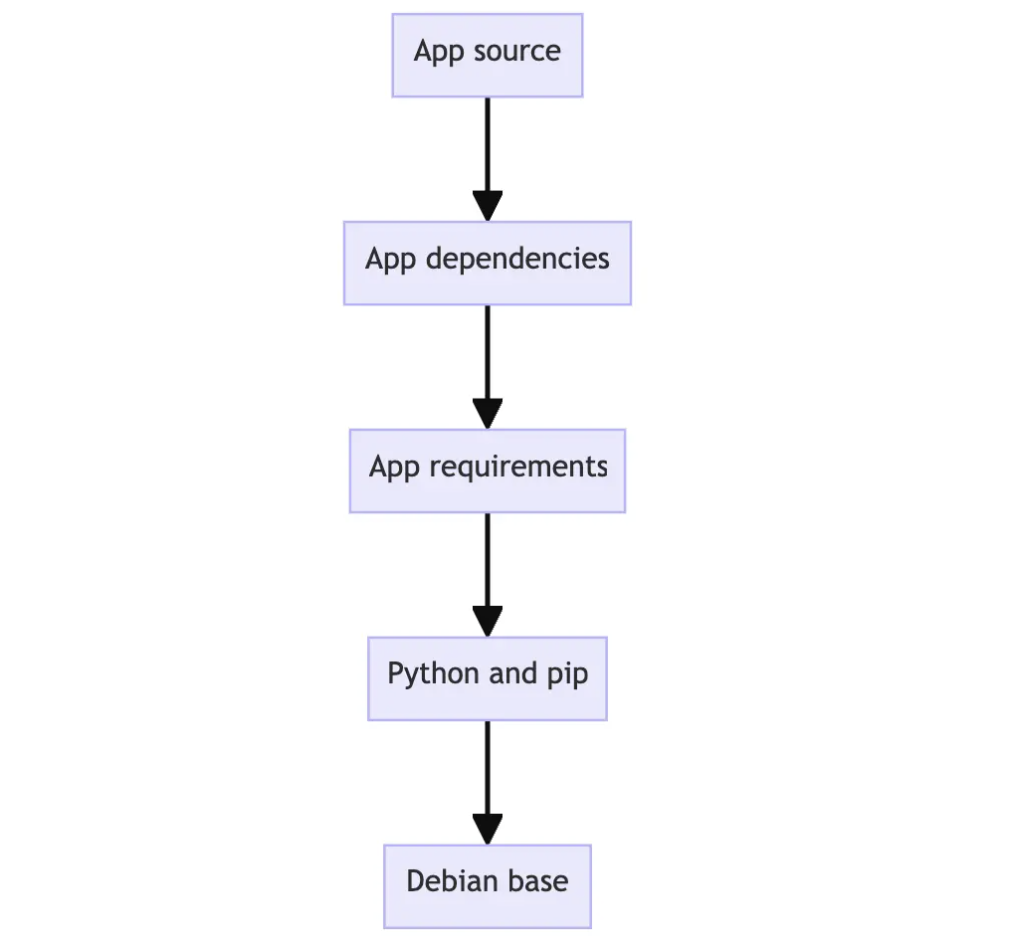
But to save space, between images, the layers are shared
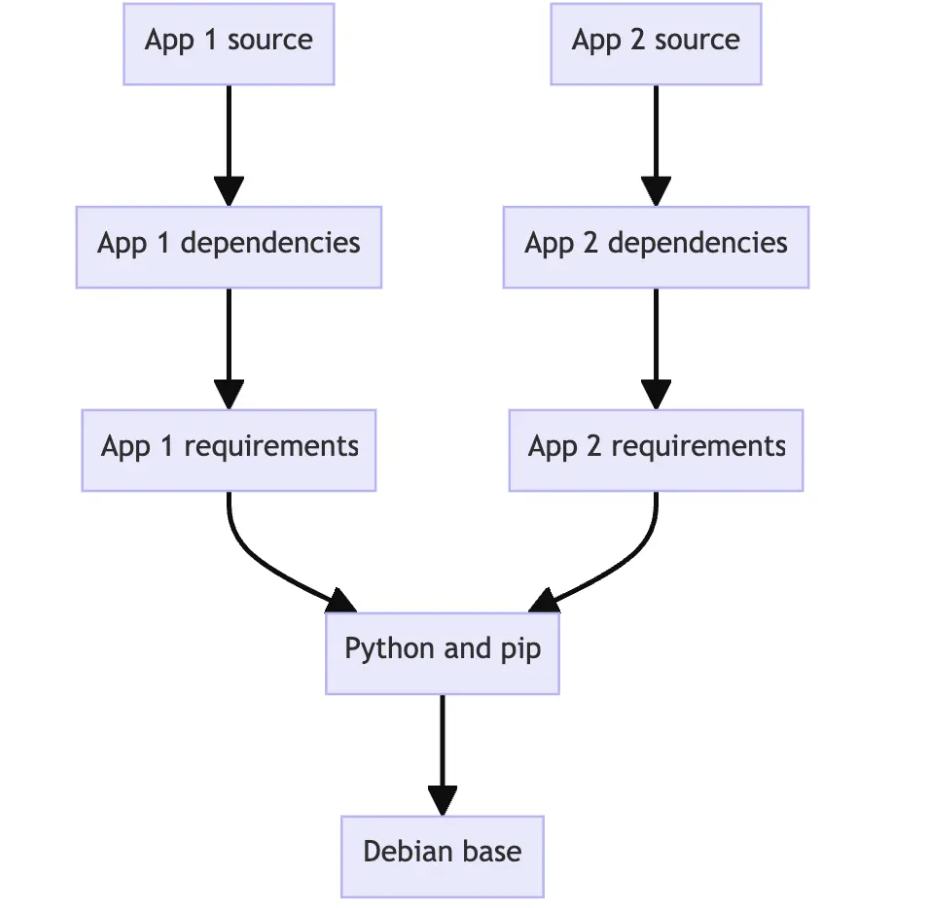
Here are the components of a docker image:
-
Base image: Each docker image runs on an OS inside it, this is typically Ubuntu or alpine, a base image of the OS is part of the component, as seen in the last layer of both the images above
-
Code: The literal software you want to run
-
Dependencies: Node modules etc
-
Instructions: This is the Dockerfile, we'll talk about this in lecture 4. in a nutshell this file contains the instructions to the docker image on how to run the code and the commands to run to install dependencies ETC.
Docker Tags
These are just Versions of the images with a human-understandable name.
EG:
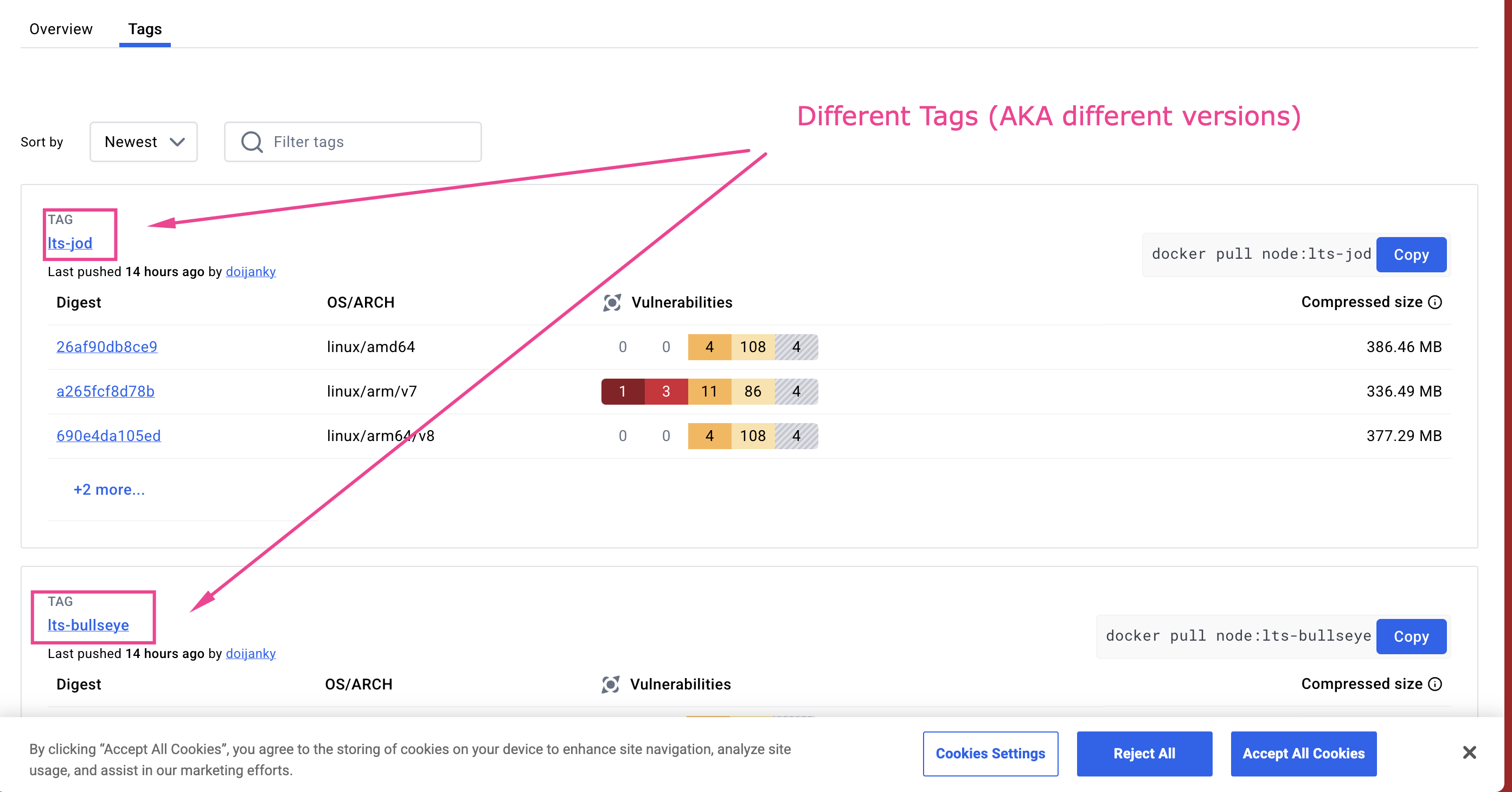
When pulling a docker image you can specify what version (tag) you want.